My MPA Journey...
Step 2 - MPA site "Hello Gopher" Offline
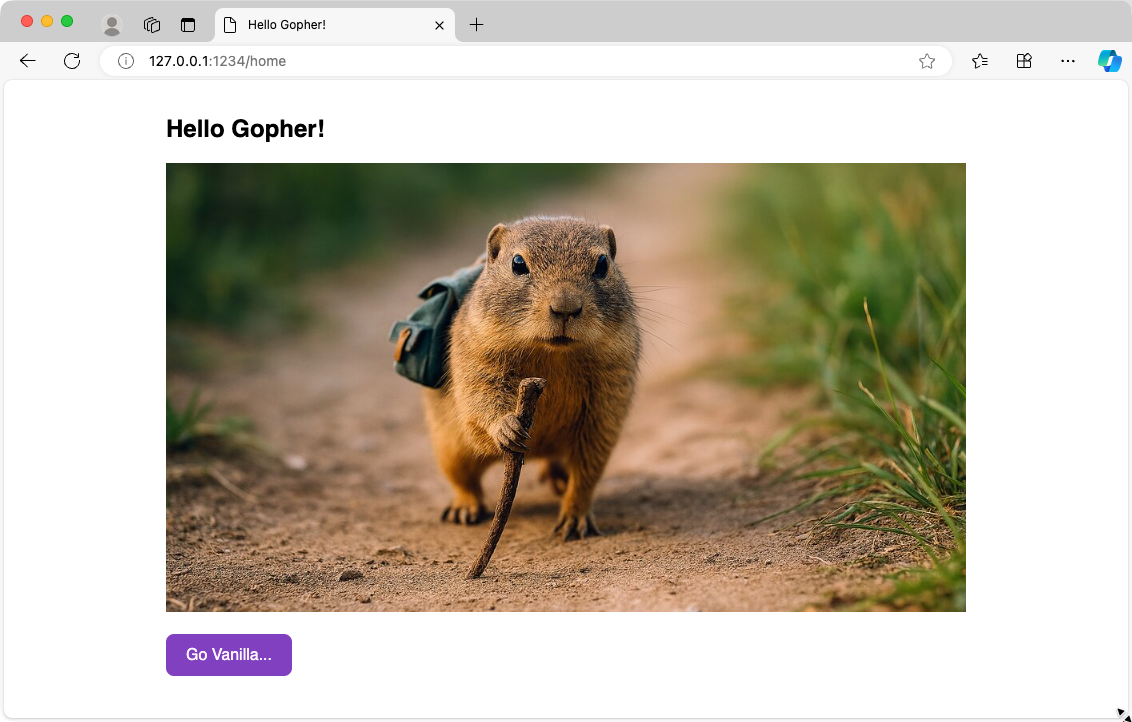
This tutorial shows how to build a simple two-page MPA that runs locally:
- How to structure a Go web server project
- Go embeds static files directly into the binary using the //go:embed directive
- DRY Components: Reusable HTML components to avoid repetition
- Static Asset Serving: Efficient delivery of CSS, JS, and images
- Vanilla Go Routing - Simple, custom routing without frameworks
By the end, you'll have a working site running at http://127.0.0.1:1234
1. Folder Structure
Folder Structure
This structure separates concerns:
- assets/ — All frontend files (HTML templates, CSS, JS, images)
- assets/tmpl/components/ — Reusable HTML snippets (DRY principle)
- assets/tmpl/pages/ — Complete page templates
- main.go — Server code and routing logic
- go.mod — Go module definition
The //go:embed directive in Go will bundle all assets into the compiled binary.
└── go/
    └── hello2/
        └── main/
            ├── assets/
            │   ├── css/
            │   │   ├── base.css
            │   ├── img/
            │   │   ├── gopher.jpg
            │   │   └── gvp.jpg
            │   ├── js/
            │   │   └── init.js
            │   └── tmpl/
            │       ├── components/
            │       │   ├── httphead.html
            │       │   └── httpend.html
            │       └── pages/
            │           ├── home.html
            │           └── gvp.html
            ├── go.mod
            ├── main
            ├── main.go
            └── init.go
2. assets - Add CSS files
CSS
CSS files are in the assets/css folder. The base.css file contains the main styles.
html, body {
    box-sizing: border-box;
    padding: 0;
    margin: 0;
    text-decoration: none;
    font-family: 'Source Sans Pro', sans-serif;
    height: auto;
    font-size: 16px;
}

body {
    display: flex;
    justify-content: center;
    min-height: 100vh;
    margin: 0;
}

section {
    padding: 15px;
}

img {
    width: 100%;
    max-width: 800px;
    height: auto;
}

.button {
    display: inline-block;
    background-color: hsl(270, 50%, 50%);
    border: none;
    color: hsl(270, 50%, 98%) !important;
    padding: 0px 20px 0px 20px;
    height: 42px;
    line-height: 42px;
    text-align: center;
    text-decoration: none;
    font-size: 1rem;
    border-radius: 8px;
    margin-bottom: 15px;
    margin-right: 15px;
}
3. assets - Add Images
assets/img
Images can be in different formats. webp is amongst the smallest and most efficient formats.
But not supported by all browsers yet. But good old jpg and png are still widely
used.
gopher.jpg
gvp.jpg
4. assets - Add JavaScript files
Javascript
The init.js handles URL normalization. When someone visits the root URL (`/`), it redirects to "/home".
- Clean URLs (no empty paths)
- Consistent routing behavior
- The home page always loads by default
// initial load or load by refresh
document.addEventListener("DOMContentLoaded", function () {
    if (location.pathname === "/") {
        location.replace("/home");
    }
});
5. assets - Add HTML Reusable Components
Components makes the MPA more DRY
Instead of repeating the <head> content on every page, we define it once in a component "httphead". When you need to add a new CSS file or meta tag, you change it in one place, not on every page.
{{define "httphead"}}
<!-- Character encoding -->
<meta charset="UTF-8">

<!-- Viewport for responsive design -->
<meta name="viewport" content="width=device-width, initial-scale=1">

<!-- CSS -->
<link rel="stylesheet" href="/css/base.css">

{{end}}
{{define "httpend"}}
<script src="/js/init.js" defer></script>
{{end}}
6. assets - Add Go HTML templates
Go HTML templates
The micro site uses Go HTML templates to render the HTML pages (home.html and gvp.html). Both pages use two sub templates (httphead and httpend components).
<!DOCTYPE html>
<html lang="en">

<head>
    {{template "httphead" .}}
    <title>"Go Vanilla..."</title>
    <meta name="description" content="Go Vanilla everything!">
</head>

<body>
    <main>
        <div class="mainbox">
            <section>
                <h1>Hello Gopher!</h1>
                <img src="/img/gopher.jpg" alt="Hello Go"><br><br>
                <a href="/gvp" class="button">Step 2 of Go Web Programming with Vanilla Go</a>
            </section>
        </div>
    </main>
    {{template "httpend"}}
</body>

</html>
{{$title := "Go Vanilla!"}}
{{$desc := "Go + Vanilla everything!"}}

<!DOCTYPE html>
<html lang="en">

<head>
    {{template "httphead" .}}
    <title>{{$title}}</title>
    <meta name="description" content="{{$desc}}">
</head>

<body>
    <main>
        <div class="mainbox">
            <section>
                <h2>Go Vanilla!</h2>
                <img src="/img/gvp.jpg" alt="Go Vanilla">
                <br><br>
                <a href="/home" class="button">Go Home</a>
            </section>
        </div>
    </main>
    {{template "httpend"}}
</body>

</html>
7. Create the Go Server
Go
The entire Go server code is in main.go. The code uses the net/http package to create a simple web site.
package main

import (
	"embed"
	"fmt"
	"io/fs"
	"net/http"
	"strings"
	"text/template"
)

//go:embed assets/*
var assets embed.FS

var tpl *template.Template

func init() {
	// load templates
	tpl = template.Must(template.ParseFS(assets,
		"assets/tmpl/pages/*.html",
		"assets/tmpl/components/*.html",
	))

	// load assets
	static, _ := fs.Sub(assets, "assets")
	http.Handle("/css/", http.FileServer(http.FS(static)))
	http.Handle("/js/", http.FileServer(http.FS(static)))
	http.Handle("/img/", http.FileServer(http.FS(static)))
}

// entry point
func main() {
	http.HandleFunc("/", router)
	http.ListenAndServe(":1234", nil)
}

// serve pages dynamically
func router(w http.ResponseWriter, r *http.Request) {

	path := strings.Trim(r.URL.Path, "/")
	if path == "" || strings.HasPrefix(path, ".") {
		path = "home"
	} else if path == "favicon.ico" {
		return
	}

	err := tpl.ExecuteTemplate(w, path+".html", nil)
	if err != nil {
		log.Println("Something is wrong ", err.Error())
		http.Redirect(w, r, "/home", http.StatusSeeOther)
		return
	}
}
In Step 3, we'll deploy this to a VPS and make it accessible online with a real domain name.